Imagine investing in software that promises to save time, simplify tasks, and make your business more efficient. You’re excited about the possibilities, your team is ready for improvements, and everything looks perfect on paper.
But a few weeks later, employees are confused, data isn’t transferring properly, and your shiny new software is creating more problems than it solves.
Sounds frustrating, doesn’t it?
Well, this is what can happen when businesses rush into SaaS implementation without proper planning. Software as a Service (SaaS) solutions can transform business operations, but only when they’re introduced correctly.
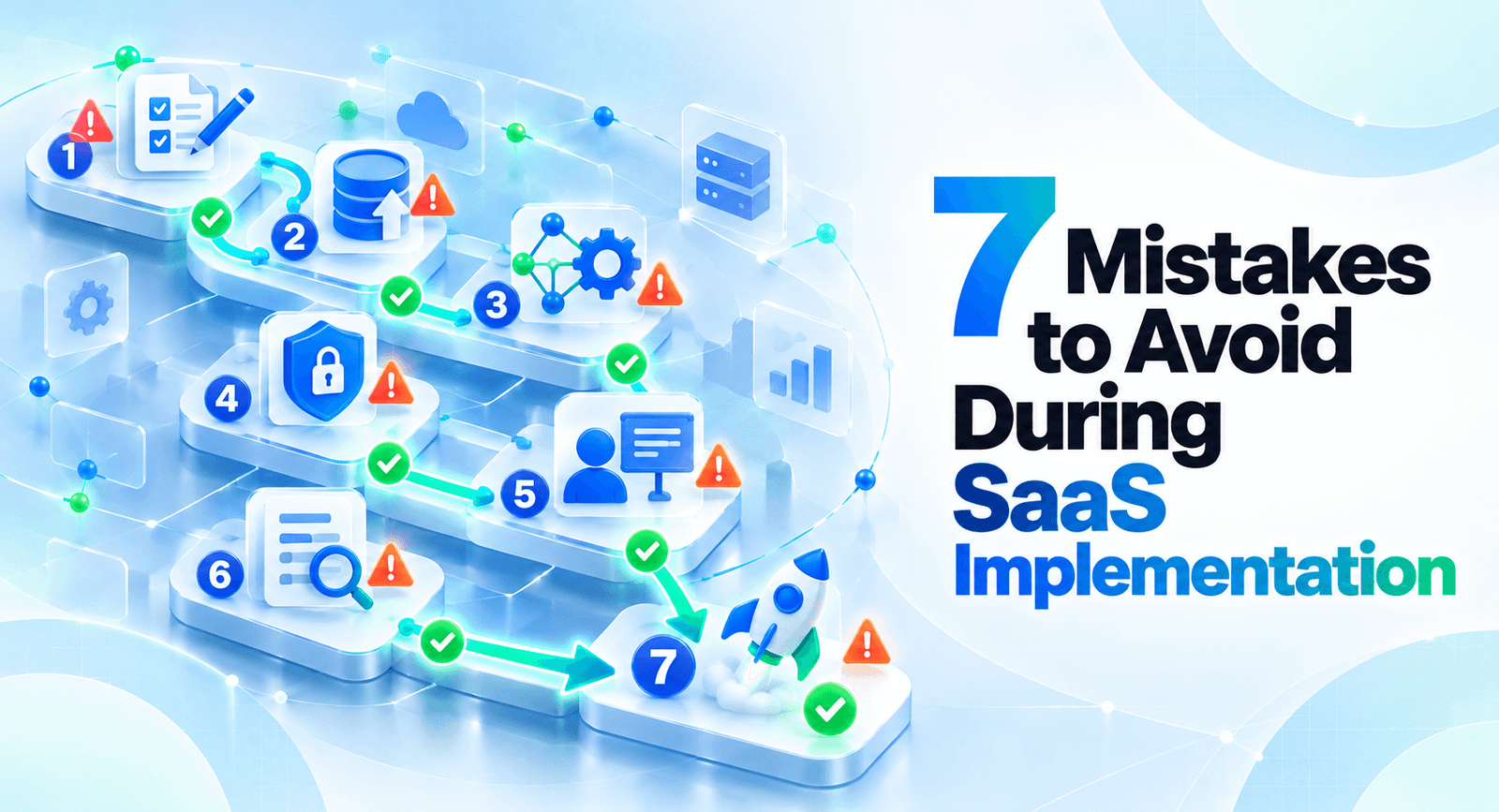
The good news? Most implementation problems are preventable. Let’s explore seven common mistakes businesses make and how you can avoid them.
Before jumping into the mistakes, let’s understand why implementation deserves so much attention.
Think of SaaS software as a new employee joining your company. You wouldn’t expect them to understand everything on their first day without training, guidance, or clear responsibilities, right?
Your software needs a similar introduction.
Successful SaaS implementation involves configuring the platform, preparing data, connecting existing tools, training employees, and ensuring everything works as expected.
When these steps are handled carefully, businesses can reduce disruptions, improve productivity, and get more value from their investment.
One of the biggest mistakes businesses make is implementing software simply because everyone else is using it.
They purchase a popular platform without identifying exactly what they want to achieve. As a result, employees struggle to understand its purpose, and managers find it difficult to measure success.
How to Avoid It:
Start by identifying specific business challenges. Do you want to reduce manual tasks, improve customer communication, or simplify project management?
Set measurable goals before beginning implementation. For example, you might aim to reduce administrative work or improve customer response times.
Clear objectives help your team stay focused throughout the process.
You’ve purchased powerful software with impressive features. But what happens if your employees don’t know how to use them?
They might continue working with familiar spreadsheets or outdated processes, making your investment less effective.
Unfortunately, many businesses underestimate how important training is during software deployment.
How to Avoid It:
Provide practical training sessions before launching the platform. Focus on the features employees will use regularly rather than overwhelming them with every available function.
Offer tutorials, demonstrations, and opportunities to ask questions.
Remember, software only improves productivity when people feel confident using it.
Moving information from an old system into a new one sounds straightforward. Just export the data, import it, and you’re done.
If only it were that simple!
Duplicate records, missing information, incompatible formats, and outdated customer details can create major complications.
Poor data migration may also affect reporting and daily operations.
How to Avoid It:
Review and clean existing data before transferring it. Remove duplicates, correct inaccuracies, and identify essential information.
Perform a test migration to verify that records transfer correctly before moving everything.
Most importantly, maintain secure backups so important business information isn’t lost during the transition.
Imagine your sales department using one platform while accounting and customer support work with completely different tools.
If these systems cannot communicate, employees may spend hours manually transferring information.
That’s why overlooking system integration can become an expensive mistake.
How to Avoid It:
Identify which existing applications need to connect with your new SaaS platform.
Check whether the software supports compatible integrations, APIs, or third-party connectors.
Test important connections before launch to ensure information moves accurately between systems.
A connected software environment can reduce repetitive work and improve collaboration across departments.
It’s tempting to activate every feature immediately. After all, you’re paying for the software, so why not use everything?
However, introducing too many changes simultaneously can overwhelm employees and make technical problems difficult to identify.
Instead of improving efficiency, your team may spend valuable time figuring out unfamiliar processes.
How to Avoid It:
Consider a phased implementation approach.
Begin with essential features or introduce the software to a smaller group of employees. Gather feedback, resolve issues, and gradually expand usage.
This approach gives your team time to adapt while allowing managers to identify problems before they affect the entire organization.
When implementing new software, businesses often focus on functionality while overlooking security requirements.
But SaaS platforms may store sensitive customer information, financial records, and internal business data.
Without proper access controls, employees might receive permissions they don’t need, increasing the risk of unauthorized access.
How to Avoid It:
Review the provider’s security practices and configure appropriate user permissions.
Enable multifactor authentication where available, establish access policies, and regularly review employee accounts.
Also, understand how the provider handles data storage, backups, and regulatory requirements.
Security should be part of your SaaS implementation plan from the beginning.
Your new software is live, employees have their accounts, and everything appears to be working.
Time to celebrate and forget about implementation, right?
Not quite.
Software performance, employee adoption, and business requirements can change over time. Without monitoring, small problems may grow into larger operational challenges.
How to Avoid It:
Track relevant performance indicators after deployment.
Monitor software adoption, employee feedback, technical issues, and progress toward your original goals.
Schedule regular reviews to identify opportunities for improvement.
Remember, implementation doesn’t end when the software goes live. It’s an ongoing process of improvement.
Successful SaaS implementation isn’t about choosing the most expensive platform or activating every feature immediately. It’s about introducing technology thoughtfully so it genuinely supports your business.
From unclear goals and poor employee training to neglected security and complicated system integration, small mistakes can lead to unnecessary delays and frustration.
However, with careful planning, gradual software deployment, and continuous evaluation, businesses can avoid many common challenges.
The goal isn’t simply to introduce new software. It’s to make your business work better because of it.
Quick Links
Company
© 2026 GHL Protocol. All Rights Reserved.